Guides
Warning signs to check in a factory tours maintenance plan before 2027
Factory tours maintenance plan warning signs for 2027 include undated hours, missing source records, and booking pages nobody owns or tests.
Audit a factory tour page before 2027 and you fix the page while the fix is still cheap. The tells are small: a price with no check date, a ticket button that lands on a 404, a shutdown notice from last summer.
What to take away
- A tour page with no named owner drifts within one season, because nobody is on the hook for the ticket link.
- Every price, hour and access claim needs a check date beside it, taken from the operator page and the ticket page on the same day.
- Broken links hide in menus, ticket buttons and map embeds. Crawl them, then open each flagged page by hand.
- Historic photos and exterior shots are context, not proof of current entry. Label them and keep live access claims separate.
- Set the full review for the fourth quarter of 2026, then run a second pass 30 days before any major promotion.
Warning signs to check
Nobody owns the booking status
If no one is named for the booking page, it drifts. FareHarbor publishes no monthly fee and charges per booking. Xola sells monthly tour software plans. Peek Pro advertises booking tools for activity operators. Whichever you use, the check happens in the operator dashboard, not in the article.
Put one owner line on each tour page. Example: Owner: visitor services lead. Where the operator lists a named staffer, use that name.
Booking Page Warning Signs
- No one named for booking page
- Hours with no check date
- No archive of old wording
- No crawl schedule before push
Hours and tickets with no check date
A schedule without a check date is a warning. The National Park Service visitor conditions guidance explains why current visitor claims need review. Google Business Profile is free and shows hours and status. For a factory tour, open the profile, the operator page and the ticket page on the same day, then write that date beside every number.
Use the same two fields on the hours row and the ticket row. The check-date field takes an ISO date, for example Checked: 2026-03-14.
No archive of what the page used to say
If you cannot see last season's wording, corrections are guesswork. The National Archives digital preservation page covers digital record care, and the Internet Archive Wayback Machine captures pages free. Save a dated PDF or screenshot of every live tour claim before you touch it.
No crawl schedule
Screaming Frog SEO Spider has a free tier up to 500 URLs. Semrush Site Audit and Sitebulb are paid crawlers. Run the crawler monthly, with an extra pass two weeks before each seasonal push, then confirm every flagged page by hand. A crawler finds the break; only a person can confirm the claim behind it.
No task log
A shared note is not a maintenance plan. Asana's free Basic plan covers up to 10 teammates. Trello has a free board plan. Airtable and Notion both offer free tiers. Put the owner, the source, the fix and the next review date in one row.
History presented as live fact
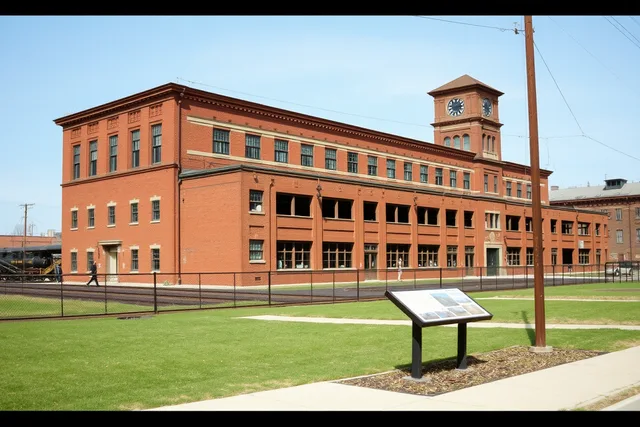
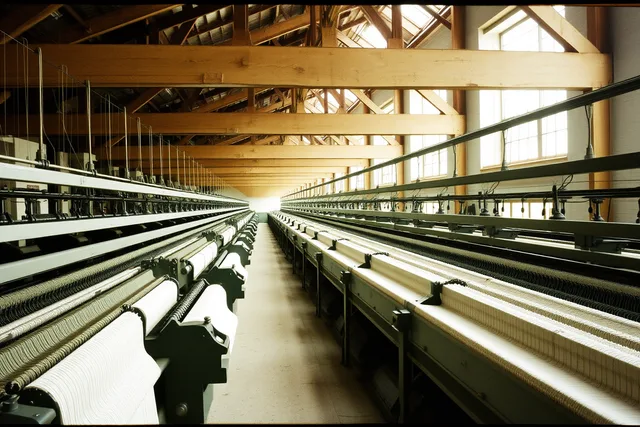
An old photo outlives the tour it shows. The National Park Service Museum Handbook is a museum-practice reference, and it does not prove a visitor route. Label historic images as context and keep live access claims in their own field. A historic marker or an exterior shot adds context but cannot prove current entry.
| Warning sign | Corrective action |
|---|---|
| Old generic itinerary | Verify every public stop separately |
| Broken source link | Replace or remove the dependent claim |
| Undated personal visit | Add the date and limit its scope |
| Unlabeled sponsored inclusion | Disclose it or remove it |
Correct the claim, not just the paragraph
When a source no longer supports a claim, fix the sentence that shapes a visitor decision. That may be the title, the summary, a table cell, a caption or a scheduled social post.
Fix the Promise
- Find the sentence shaping a decision
- Check the title, summary, table, caption
- Name the confirmed public activity
- Drop the recommendation if unconfirmed
Do not use vague wording to hide uncertainty. Name the confirmed public activity, or drop the recommendation until the responsible source answers.
If you are weighing whether a page has crossed from thin into misleading, the warning signs that a factory tour experience has gone wrong are the same tells seen from the visitor's side.
Keep an open-issue list
Record unresolved questions next to the draft with a source request and a next review date. The records-management fundamentals explain why corrections need preserved evidence. Each note names the old claim, the source checked, the date, the revised wording and the next review date.
Worked example. Old wording: Tours run every hour. Source checked: the operator page, dated 2026-03-14. Revised wording: Tours run at 10:00 and 13:00 on weekdays.
Check every repeated version
An outdated fact survives in a headline, caption, table, email draft or directory line after the main paragraph is fixed. Compare each public version against the current source, then narrow or remove the claim everywhere a reader can see it.
Do this before a major promotion, a seasonal travel period or a sponsored mention. The goal is not cautious-sounding copy. The goal is that every action-oriented statement is true for the date it names.
Common questions
Is changing the title year enough to refresh a factory tour page?
No. Check every live claim a reader could use to plan access, timing, cost or participation. The year in the title is the smallest part of the job.
What if a factory tour page has no source record?
Rebuild the record from the visible claims, then remove any claim you cannot support. Start with the ticket page and the operator's own hours, since those change most often.
Can an old factory tour photo stay after access changes?
Yes, when it is credited and described as historical context rather than current evidence. Keep it out of any field a reader would use to plan a visit.