Guides
Working Factory Visit Records Guide for 2027
Working factory visit records for 2027 track route versions, status labels, and inactive drafts so the next host runs the same tour the last one did.
A visit record earns its place when the next host can run the same route without asking anyone. That comes down to three things: which version of the route was walked, what status each open item carries, and whether the folder holds one live draft or five.
What to take away
- Put a route-version field on every session record, not just a date.
- Label each open item new, in review, implemented, or verified.
- Close an item only after someone has walked the corrected route.
- Move finished copies out of the working folder or mark them historical.
- Keep the file location and next review date on the active version.
Give the route a version, not just a date
Two visits on the same day can follow different routes. A gate closes, an escort ratio changes, a stair is roped off for maintenance. If the record says only "14 May," the next host cannot tell which path that group actually walked.
Add a route-version field beside the session date. Use a name the team already recognises, such as the route drawing number plus a revision letter, or the date the route was last changed. Apply the same version name to the confirmation, the session brief, and the follow-up note.
The regional factory visit records guide covers the wider file structure this field sits inside.
Status labels do the work
Every open item carries one of four labels.
Status Labels and Host Actions
Label
- New
- Just logged. No decision yet.
- In review
- With program owner or facility contact.
- Implemented
- Change made, not yet walked.
- Verified
- Someone followed corrected route and it held.
What it means for the next host
- New
- In review
- Implemented
- Verified
| Label | What it means for the next host |
|---|---|
| New | Just logged. No decision yet. |
| In review | With the program owner or facility contact. |
| Implemented | Change made, not yet walked. |
| Verified | Someone followed the corrected route and it held. |
The label tells a host whether to adapt the visit, wait for a decision, or use the corrected public information. Without it, every open item looks equally urgent and the host guesses.
A revised map is verified when a person follows it successfully, not when the new file is saved. Implemented and verified are different states, and collapsing them is how a wrong turn reaches a paying group.
Clear the inactive drafts
Working folders fill with copies. Three undated drafts of the same guest message sit beside the live one, and the host picks the wrong one under time pressure.
At each review, remove completed copies from the working folder or label them clearly as historical under the operator's approved process. The active record should be identifiable at a glance.
The National Archives records-management profile describes assigning responsibility for records and information. Name a program owner for the visitor-operation file, then name the roles that confirm route or facility conditions. That owner maintains the guest-facing record and does not take authority over operations, security, or safety decisions.
When responsibility changes hands, add a handoff note: where the active file sits, which message version is current, and what question is still open.
Keep the evidence that explains the plan
The National Archives records-management fundamentals describe records as evidence supporting business needs and accountability. Keep the session brief, the current guest message, the route result, and the follow-up decision together.
A record should explain what visitors were told and what happened. It should not copy sensitive technical detail out of a facility system.
Write observable facts. "West entrance used after the scheduled gate closed; organizer notified at 9:10; map update assigned." Not "operations caused a bad visit." The first gives the next person context and an action. The second adds blame without evidence.
Retention follows the operator's schedule
The National Archives scheduling guidance explains that records schedules give disposition instructions. Follow the operator's own applicable retention requirements rather than inventing a universal period.
Keep current records, and the versions needed to explain active decisions, available to the authorised team until the right process applies.
OSHA's safety-program recommended practices describe clear roles, worker understanding, and communication across worksite parties. Visitor operations can borrow that discipline: log a recurring route or communication issue, assign a change, verify the result. Keep it separate from facility safety records.
Worked example: one gate, one version
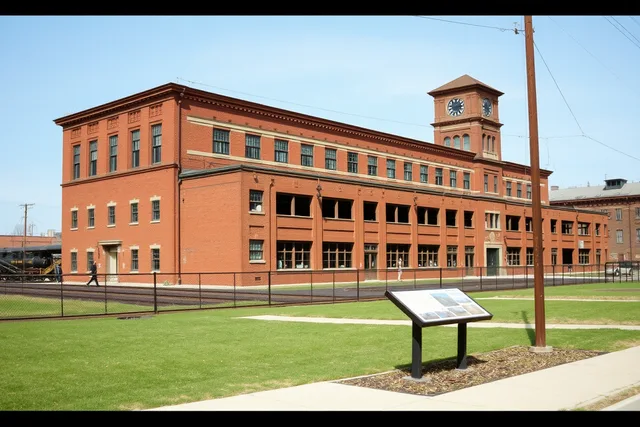
A preserved plant runs a Friday afternoon route. The east gate is the published entry. On the Friday in question it is locked for maintenance, so the group enters through the west gate and the host logs the change.
One Gate, One Version
- Friday afternoonEast gate locked; west entrance used
- Same dayRoute version 4B logged; status new
- Next reviewMap updated; status implemented
- Following FridaySecond host walks west entry; status verified
- Three weeks laterNew host opens folder; runs route correctly
The record reads: route version 4B, west entrance used, organizer notified at 14:20, map update assigned to the program owner, status new.
At the next review the owner updates the map and marks the item implemented. The following Friday a second host walks the west entry and it holds. Status moves to verified. The old east-gate map is moved to the historical folder.
Three weeks later a new host opens the folder, sees one live map, and runs the route correctly without a phone call.
Common questions
Who owns the visit record?
The program owner keeps the visitor-operation record and uses the facility's own systems for site-specific or sensitive matters. That role does not override operations, security, or safety authority.
How often should records be reviewed?
Use a regular short review, plus an extra one after any major route or operating change. Confirm the file location and the next review date at every handoff.
What closes an issue?
A documented action and a verification, such as a walked map, a confirmed alternative, or a corrected booking notice. A saved file on its own does not close anything.