Guides
Part of How an industrial site interpretation maintenance plan keeps visitor media accurate
Industrial site interpretation maintenance checklist: how to inspect and close the record
Industrial interpretation care checklist for 2027 helps U.S. teams inspect panels, guides, scripts, pages, access, sources, damage, and review records.
Use this checklist to inspect public interpretation before it becomes inaccurate, hard to use, or physically degraded. Complete one record per visitor item or route stop.
What to take away
- Check condition, accuracy, access, and visitor use separately.
- Act immediately on wrong visitor instructions or damaged items.
- Record the issue, action, owner, and next review date.
Complete the inspection
- Confirm the item title, location or permalink, and current version.
- Check whether visitor instructions still match the route and site rules.
- Check text, dates, names, image credits, and source-supported claims.
- Inspect physical condition, hardware, legibility, and the visitor approach.
- Test web links, captions, transcripts, and alternate access to information.
- Note visitor questions, missed turns, or repeated host corrections.
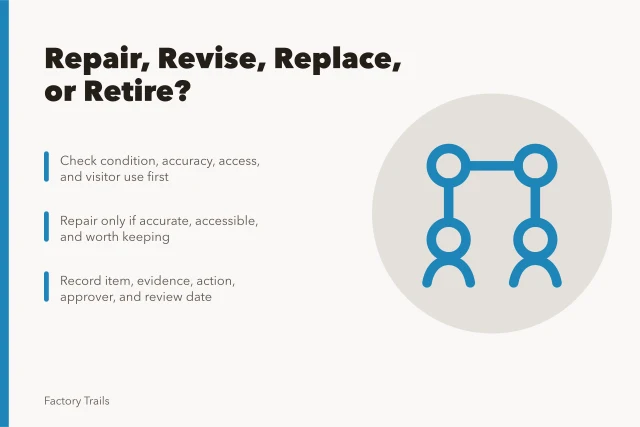
- Decide whether the item needs cleaning, repair, rewrite, replacement, or retirement.
- Assign an owner and follow-up date.
| Review area | Evidence to record |
|---|---|
| Condition | Photo or short condition note |
| Content | Source check and corrected version |
| Access | Route or format finding |
| Visitor use | Specific observed question or barrier |
| Action | Owner, deadline, and approval |
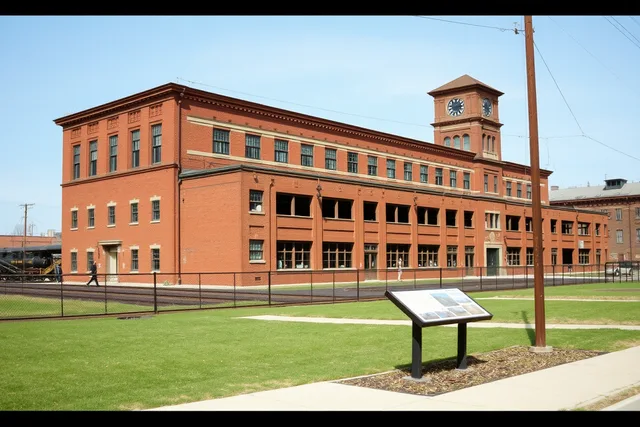
The NPS wayside replacement project page describes replacing on-site interpretation when visitor materials need renewal. Use that same discipline for industrial visitor materials. A panel can be physically clean but still fail because its message is wrong or its route no longer makes sense.
Inspection Steps and Evidence
- Confirm title, location, version
- Check instructions match route
- Verify text, dates, credits, claims
- Inspect condition, hardware, legibility
- Test links, captions, transcripts, access
- Note visitor questions and barriers
- Assign owner and follow-up date
Close the record
Save the completed check with the source file and current public item. If a correction affects another page, sign, guide, or host script, list those related materials before the first change is published. A clear record makes the next inspection faster and prevents a temporary fix from becoming the only version.
Include the reviewer's name and the date the site was observed. Conditions can change quickly, so a finding needs context before a later owner acts on it.
Use a pass-or-fail step before deciding that a panel merely needs cleaning. The NPS wayside exhibit evaluation checklist asks whether the content is accurate, the text is legible, the interpretive point is clear, and visitors can use the item. For this checklist, record a failure in the matching field and assign the smallest action that resolves it, such as a factual rewrite, a new caption, or a replacement request.
For a web page or downloadable guide, close the inspection with version control. The National Archives web-records guidance discusses maintaining content, context, and records of changes. Keep the earlier public wording, the verified correction, approval date, and list of related visitor materials. That record makes it possible to determine whether a correction reached the page, guide, map, and host script rather than one channel only.
Include an access prompt without making a technical determination. The U.S. Access Board's signs guide provides federal accessibility guidance for signs in covered settings. Ask the appropriate reviewer to check the visitor setting and required format, then note the approved alternate information or corrective action. Do not label an item accessible based only on a quick editorial inspection.
Use the checklist during an inspection
Start with the exact public item, not a general impression of the site. Photograph a physical panel or capture the current page version. Note where a visitor begins, what they must find next, and which instruction they are expected to follow. Then complete the condition, content, access, and visitor-use fields independently. A faded panel and a wrong route instruction are different problems even when they occur at the same stop.
After the inspection, sort actions by urgency. A wrong arrival direction, a materially false claim, a missing required credit, or a damaged item that blocks visitor use should be addressed before routine cleaning or visual upgrades. Make the temporary action clear. Then give the permanent repair or revision a named owner, due date, approval need, and list of connected materials. The completed record should tell a later reviewer what happened without requiring a guess about the original problem.
Review the final record before closing the task.
Common questions
How often should a checklist be used?
Set a routine schedule and use it sooner after severe weather, vandalism, a route change, a complaint, or new research.
What should be fixed first?
Fix incorrect access or safety instructions first, then address damaged, inaccessible, or inaccurate material.
Who completes the checklist?
Use the person responsible for the item, with site, content, and access reviewers involved where their expertise is needed.