Guides
Part of How to plan industrial site interpretation: a workflow for visitor teams
Warning signs in industrial site interpretation planning before you commit
Weak evidence, shifting scope and missing upkeep owners show up early in industrial interpretation planning, and pausing them costs less than a public correction.
A warning sign is not a failure. It is a draft telling you where the evidence is thin, the route is untested, or nobody owns the upkeep. Catch it before a visitor does.
What to take away
- Pause any material resting on an unsupported claim, a restricted detail, or no named owner.
- Walk the real visitor sequence, arrival cue included, before approving the experience.
- Split review by authorityhistorical accuracy, site permission, rights, and final edit.
- Give every live panel, guide and page an owner, a review date and a lifecycle task.
- Record each correction with old wording, new evidence, date and approving person.
Warning signs and what to do about them
Warning signs and responses
| Warning | Likely issue | Practical response |
|---|---|---|
| "Everyone knows this story" | Evidence is missing | Find a source or cut the claim |
| Visitors cannot find the first stop | Orientation is unclear | Walk the route, rewrite the arrival cue |
| A sign has no review date | Content will go stale | Assign an owner and a date |
| One reviewer approves everything | Authority is blurred | Split historical, site, rights and editing review |
| A new feature appears late | Scope is drifting | Cost and approve it before work starts |
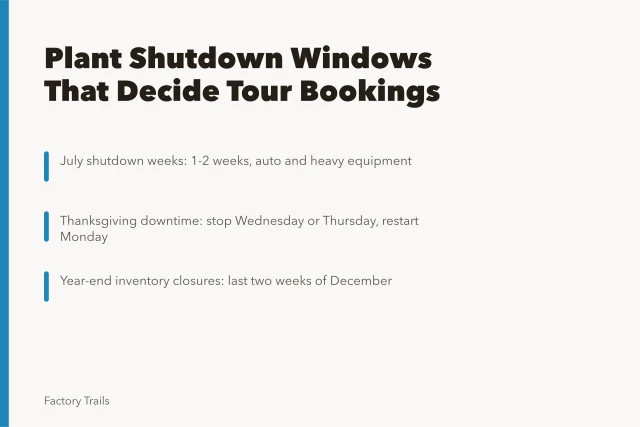
| A guide script cites a shutdown that moved | The calendar changed | Reconfirm against the plant's current operating schedule |
Match the correction to the problem. A longer history paragraph will not help a visitor who cannot find the gate. An unresolved image right does not become publishable behind a vague credit.
Inline checklist Copy this list to a phone note or print it before the site visit.
- Stop the item if the claim has no source.
- Stop the item if a restricted detail is exposed.
- Stop the item if no owner is named.
- Stop the item if the route has no tested arrival cue.
- Stop the item if review authority is unclear.
- Stop the item if scope changed without approval.
- Stop the item if the operating schedule changed.
At the Ford Rouge Factory Tour in Dearborn, Michigan, the route runs beside a working assembly line. A guide script that cites a fixed shutdown time is a warning sign. The planner pauses that script until the plant confirms the current operating schedule.
Warning signs and responses
- Everyone knows this storyfind source or cut
- Visitors cannot find first stoprewrite arrival cue
- Sign has no review dateassign owner and date
- One reviewer approves everythingsplit review roles
- New feature appears latecost and approve first
- Guide script cites moved shutdownreconfirm schedule
Pause the item, not the whole program
Pause a material when it depends on an unsupported claim, exposes a restricted detail, contradicts current visitor instructions, or has no owner. A pause reads as delay. A public correction reads as carelessness, and it is harder to explain.
A pause usually costs two to four hours of staff time to write the gap note and route it for decision. A public correction after launch can take days and cost hundreds to thousands of dollars once you reprint, re-record, and retrain staff. The exact figure depends on the number of channels.
Make the pause visible in the project record: what is missing, who can resolve it, and whether the item is deferred, revised or removed.
Name the missing upkeep task
A panel, host script or page often has a first-year budget and nothing after it: no line for current information, source review, repair or removal. Name the missing lifecycle task and its owner. If nobody can, pause the item before it becomes a public obligation with no maintenance path.
Keep a correction record
A local record should show the old wording, the evidence behind the new wording, the date, the approving person, and every public item repeating the message. Otherwise you fix one page while a print guide still sends visitors the old way. A visitor program needs a lighter metadata version: source, approval, current version, reason for change.
Reference check for NPS and NARA
The NPS planning policy separates a broad idea from an approved action. A planning warning shows up when a draft has a strong topic but no visitor goal, scope boundary, source record or owner.
The NPS planning and lifecycle-cost overview is the reference to check against. NARA's web-records guidance covers keeping content and its change context. NARA's metadata appendix defines descriptive terms such as title, description, date and creator for permanent electronic records.
What each requires:
- NPSseparate a broad idea from approved action; name goal, scope and source; check lifecycle cost.
- NARAkeep content and change context; define title, description, date and creator for permanent records.
Common questions
Is visitor feedback a warning sign?
Feedback is evidence. Repeated, specific confusion about the same route, wording or format is a reason to inspect that item, not to add more text around it.
Can a team launch while one item is unresolved?
Yes, if that item is removed or clearly outside the launched scope. Never present unresolved content as finished.
What makes a source record adequate?
It names the source, the fact it supports, the rights or permission status, the reviewer, and the public material that depends on it.